


100% up to $1,500 + 100 FS

CrownGreen Casino App CA
The CrownGreen Casino app brings the full platform to your phone without requiring a trip to any app store. Whether you’re settled on the couch or grabbing five minutes at lunch, our mobile experience covers slots, live tables, sports betting, and your cashier — all through one login. Canadian players aged 18+ get every feature they’d expect from the desktop version, packed into a browser-based setup that loads fast and stays current on its own.
How Mobile Play Works Here
Our delivery model is straightforward: the platform runs through your phone’s browser, with install messaging that lets you pin it to your home screen for one-tap access. There’s no waiting for app store approval, no storage eating into your device space, and no separate account to manage. The CrownGreen Casino mobile app experience pulls from the same account you’d use anywhere else — your balance, bonus status, VIP points, and responsible gaming limits all travel with you. Canadian players looking for the full picture of what’s on offer can check out the main Crowngreen casino options before committing to a deposit. Here’s what makes the setup tick:
- Responsive site that scales cleanly to any screen size
- Install messaging prompts you to add the CrownGreen app to your home screen
- No app store listing needed on either Android or iOS
- One login covers casino, live tables, sportsbook, and promotions
Device Setup Compared
Android and iOS follow the same basic route, though the browser menu wording differs slightly between the two platforms. On Android you open our site in Chrome and tap “Add to Home Screen”; on iOS you do the same through Safari’s share sheet. Either way, the shortcut behaves like a standalone app icon — one tap and you’re straight into the lobby. If you want to download CrownGreen app for android in the traditional APK sense, that route isn’t the primary path we offer; the browser install is faster and always up to date. Before you set up your device, browsing through active Crowngreen promotions details is worth a moment — the welcome package runs up to $9,000 + 250 Free Spins across multiple deposits.
| Platform | Method |
|---|---|
| Android | Add to home screen via Chrome |
| iOS | Add to home screen via Safari |
Playing Slots and Live Tables on Mobile
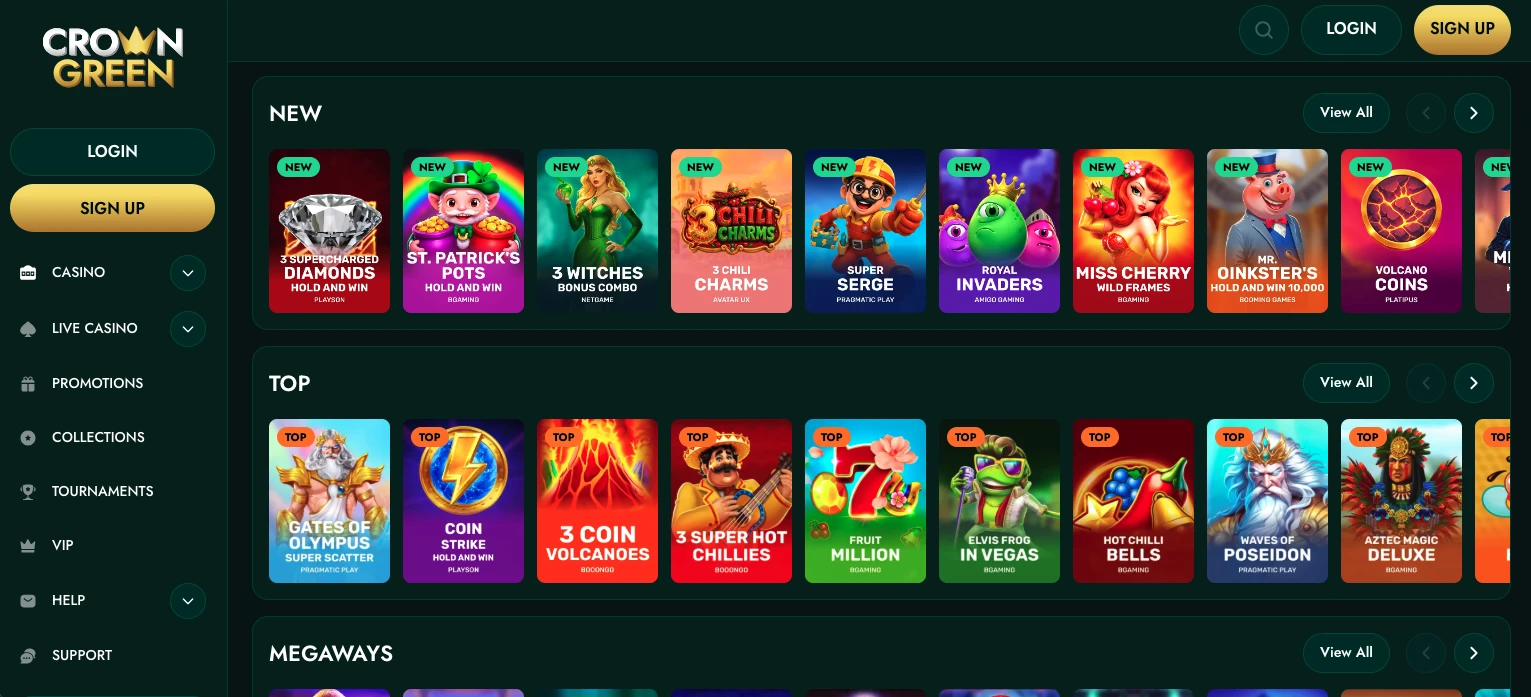
Touch screens handle fast-paced formats better than most people expect, and our game library is built to take advantage of that. Megaways reels, bonus buy shortcuts, live dealer streams, and crash-style rounds all render cleanly on a phone. The CrownGreen Casino app account structure means your game history and bonus progress show up the same whether you last played on desktop or on mobile. Players who want to register and start quickly can head straight to the fast Crowngreen profile details page. A few formats that translate especially well to a phone screen:
- Megaways titles — dynamic reel grids like those from Red Tiger Gaming and Big Time Gaming that don’t lose detail on smaller screens
- Bonus buy games — titles like Gates of Olympus 1000 (Pragmatic Play) and Zeus vs Hades Gods of War (Pragmatic Play) where a single tap triggers the feature round
- Live blackjack — over 11 tables including Oasis VIP Blackjack (Iconic21) and 21 Burn Blackjack (Betsoft), with card dealing that streams smoothly over standard mobile data
- Crash formats — Aviatrix and Spribe rounds where you tap to cash out, which feels more natural on touch than with a mouse
Managing Money on the Move
The CrownGreen app cashier is accessible from a shortcut visible throughout the lobby, so you’re never more than two taps away from a deposit or withdrawal request. Our minimum deposit is $30 and withdrawals start at $60, with daily limits up to $15,000. Interac is the most familiar option for Canadians — it pulls straight from your bank account with no intermediate wallet needed. E-wallets like Skrill and Neteller move faster once a withdrawal clears our approval window. Here’s how the main mobile banking routes compare:
| Route | Note |
|---|---|
| Interac | Familiar to Canadians; connects directly to your bank |
| E-wallets (Skrill, Neteller) | Fastest after approval — typically within 24 hours |
| Visa / Mastercard | Standard 3–5 business day processing |
| Apple Pay / Google Pay | Confirm withdrawal eligibility before depositing |
| Bank Wire Transfer | Higher-volume option, 3–7 business days |
Responsible Play Controls on Mobile
Every safety tool we build into the desktop version is reachable from a phone — no digging through menus, no need to switch to a computer. You can set or adjust your limits directly from your account settings in the mobile interface. We think that accessibility matters just as much as game variety. Players are encouraged to upload KYC documents early via the mobile profile if the verification screen supports direct upload — it keeps your first withdrawal smooth. The controls you’ll find in your account:
- Deposit limits — set a daily, weekly, or monthly cap on how much you fund your account
- Loss limits — cap how much you’re willing to lose over a chosen period
- Wager limits — restrict total betting volume within a set timeframe
- Session timers — receive a notification or automatic logout after a defined play window
The CrownGreen Casino mobile app settings panel also gives you access to our Responsible Gaming policy documents directly from your device, so the information is always a tap away.
Why the Browser Route Stays Current
Browser delivery means every player lands on the latest version of the platform automatically, with no manual update required on your end. The moment we push a new game category, a revised cashier layout, or an updated responsible gaming tool, it’s live for you the next time you open the page. That’s a real advantage over native app builds, which can sit a version or two behind if a player hasn’t checked for updates. Our CrownGreen Casino app structure runs on this principle: the session you start today reflects the same lobby as the player logging in on a laptop across the province. Providers like Evolution, Pragmatic Play, and Ezugi push live table updates regularly, and the browser model means those feeds reach your phone screen without any extra steps. This also means our team can respond to player feedback and fix issues across the entire player base at once, not just for those who downloaded the most recent build.
Choosing Mobile Over Desktop
The players who get the most value from our mobile setup tend to be the ones who play in short, focused sessions rather than marathon desktop runs. If you travel frequently, commute, or simply prefer having everything in one place on your phone, the browser install removes all the friction. The CrownGreen app keeps your VIP points ticking, your bonus progress visible, and your banking tools one tap away. A single deposit of $1,500 can fast-track you to VIP Manor status — and you can make that deposit from wherever you happen to be standing. Our platform works cleanly on both Android and iOS, so your choice of device never limits your access to the full game library.
Frequently Asked Questions
Are the limit controls available on mobile?
Yes, deposit limits, loss limits, wager caps, and session timers are all accessible directly from your account settings on mobile. You don’t need to switch to a desktop browser to adjust them. We recommend reviewing these controls before your first deposit, since having them in place from the start is the most practical approach.
Which games work best on a phone?
Touch-friendly formats lead the way — crash games, bonus buy slots, and live blackjack tables all perform well on smaller screens. Titles from BGaming like Elvis Frog Trueways and Train Heist Johnny Cash carry strong RTP figures and load quickly over mobile data. Megaways reels from Red Tiger Gaming and Big Time Gaming also hold up well because their animations are designed to scale.
Can I use Interac from mobile?
Interac works on mobile just as it does on desktop — you tap through to your bank’s authentication page and the deposit lands in your account balance promptly. Our minimum deposit is $30, and Interac withdrawals follow the standard pending window before processing. It remains the most straightforward banking method for Canadian players on the go.
Is there an APK file?
There is no separate APK file to sideload. The CrownGreen Casino app experience is delivered through your mobile browser, and you add it to your home screen via the built-in browser prompt. This keeps the install simple, avoids permissions requests that native APKs typically require, and ensures you’re always on the current version without manual updates.
Does the mobile site update itself?
It does. Because our platform runs in the browser, any update we push reaches every player automatically the next time they load the page. There’s nothing to download and no version lag to worry about. That approach also means new games, revised promotions, and updated tools all appear on your phone at the same time as they do on desktop.